§02 My Watchlist¶
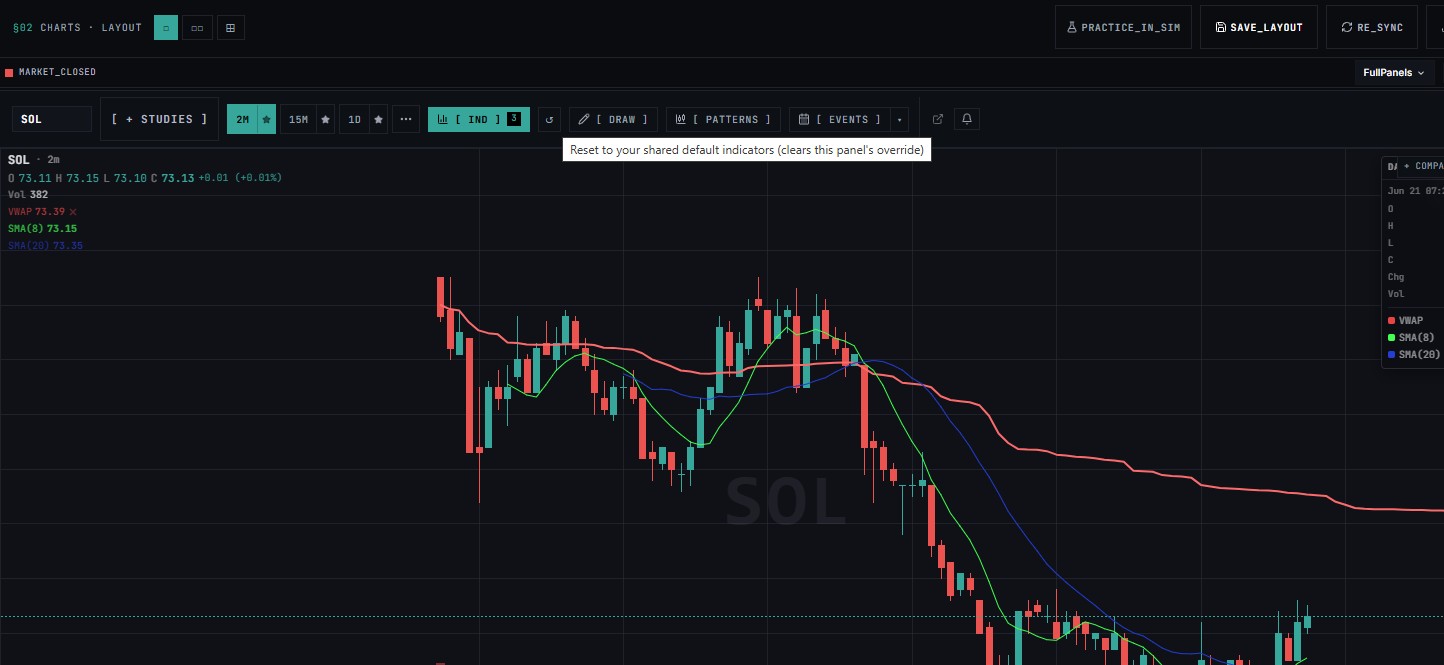
This document outlines the purpose, behavior, and location of the Reset tool highlighted in the provided trading interface image.
Tool Overview¶
The Reset tool is an interactive utility icon designed to revert customized indicator configurations on the active chart back to a synchronized baseline setup.
- Icon Visualization: A counter-clockwise curving arrow representing a rollback or restore action (
↺). - Location: Positioned on the top contextual toolbar, directly to the right of the indicator toggle block (
[ IND ] 3).
Functionality & Action¶
When a user hovers over or interacts with this tool, the interface triggers the following action:
"Reset to your shared default indicators (clears this panel's override)"
Core Behaviors:¶
- Clears Panel Overrides: If you have manually removed, added, or changed the settings of technical indicators on this specific chart pane (e.g., modifying the VWAP, SMA(8), or SMA(20) parameters visible on the left), clicking this button immediately discards those individual modifications.
- Restores Shared Defaults: Re-applies the global, default set of technical studies and indicators configured across your entire workspace or layout template.
- Workspace Synchronization: Ensures that the active chart's technical setup matches the standardized indicators used across other panels or saved platform preferences.