§03 CHARTS - EVENTS¶
DIVIDENDS · SPLITS¶
The DIVIDENDS · SPLITS toggle pins corporate-action markers directly onto the price axis of the active chart.
When enabled, dividend payments and stock-split events are overlaid as markers on the date they occurred, letting you correlate price action with corporate actions without leaving the chart.
If there are no dividends or splits within the visible date range, the chart displays a clear note:
No dividends or splits in this range
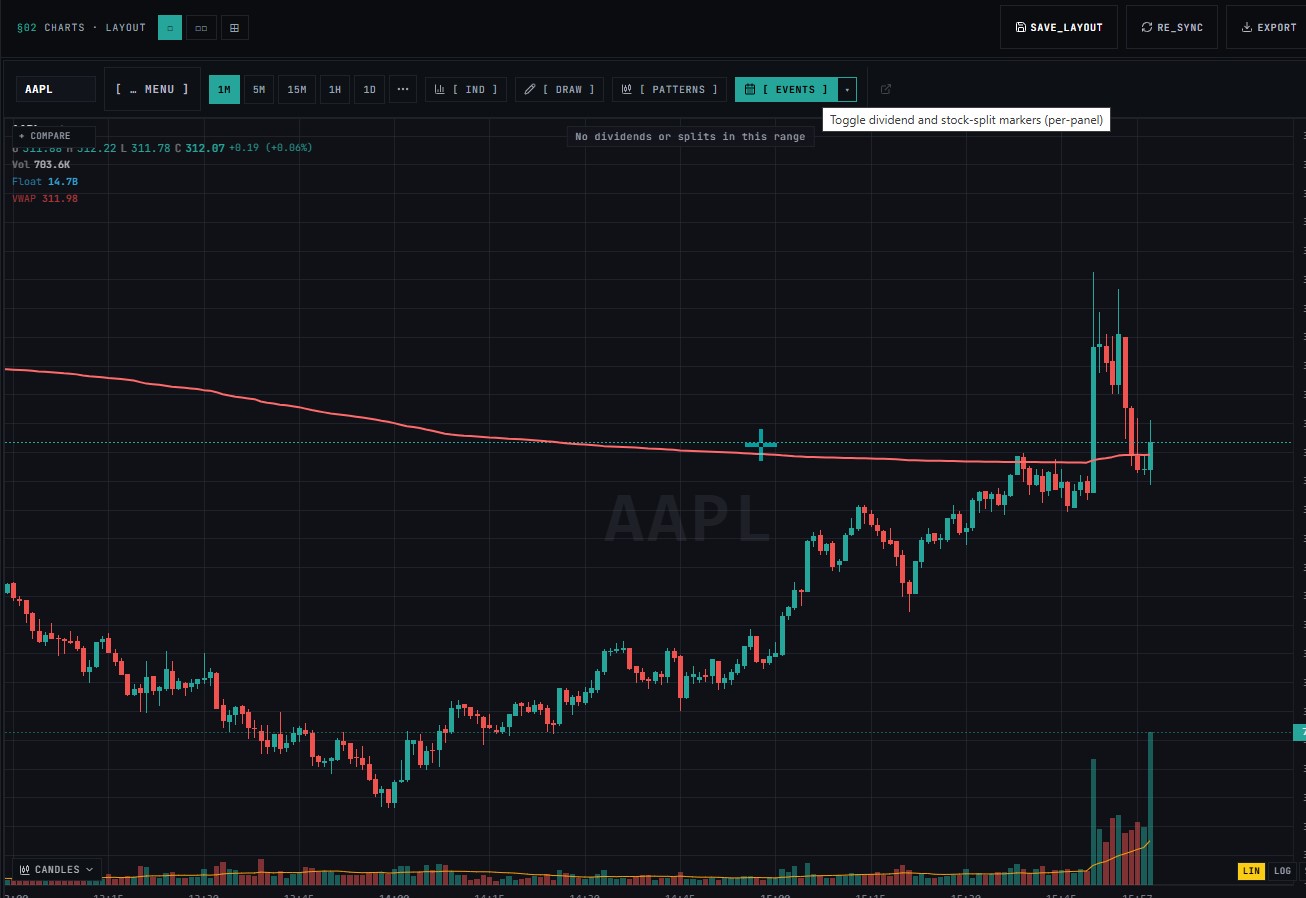
This means the toggle is working — there is simply nothing to plot in the current view. Scroll or zoom out to a wider timeframe to see markers if the symbol has historical corporate actions.
How to Enable¶
- Open the CHARTS · TOOLS panel from the chart toolbar
- clik EVENTS,
- Markers appear on the chart at each corporate-action date within the visible range
§03 EVENTS¶
| Toggle | Description | Default |
|---|---|---|
| [ DIVIDENDS · SPLITS ] | Pin corporate-action markers to the price axis | OFF/ON |