§02 CHARTS - Pop out chart to a new window¶
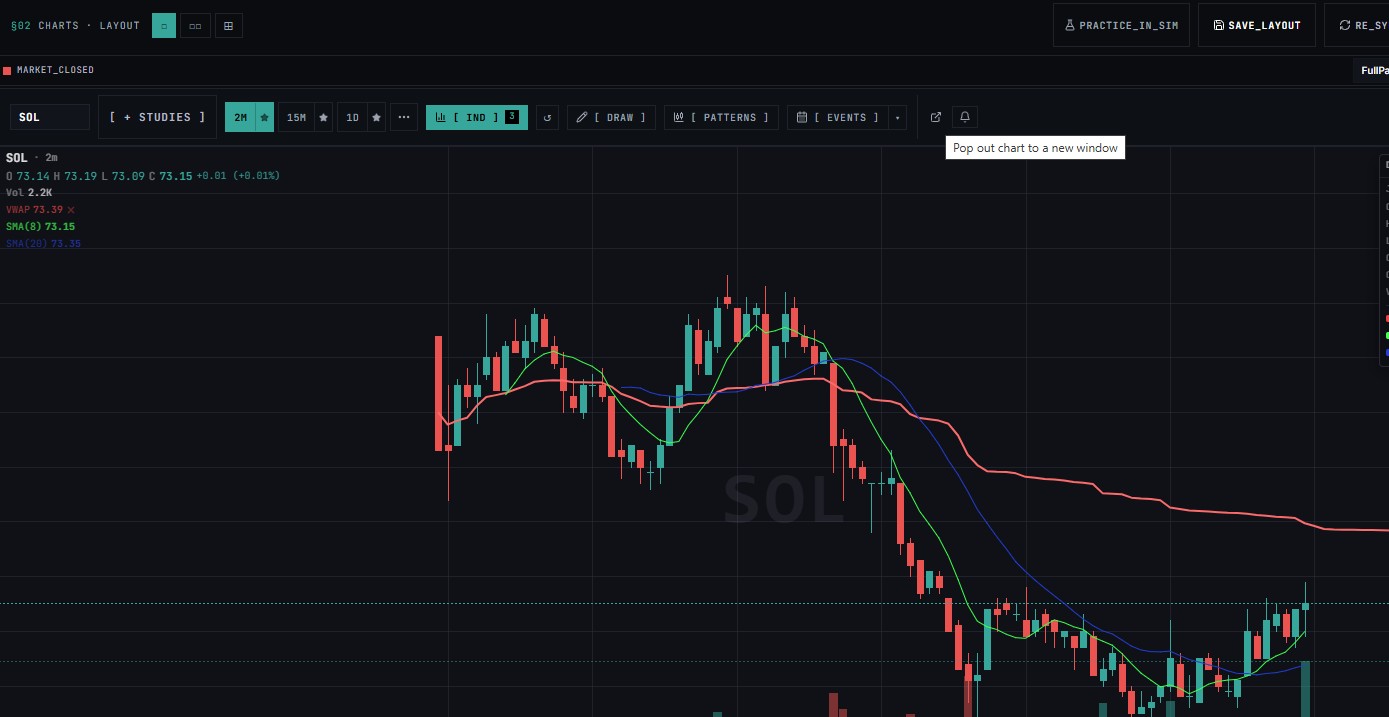
This document outlines the purpose, behavior, and location of the Pop Out tool highlighted in the provided trading interface image.
Tool Overview¶
The Pop Out tool is an interface action button that allows traders to detach the active chart window from the primary browser grid or platform layout into an independent, standalone operating system window.
- Icon Visualization: A square with a diagonal arrow pointing out toward the top-right, which standardizes an external layout or export action.
- Location: Positioned on the main upper contextual toolbar, situated immediately to the right of the
[ EVENTS ]dropdown button.
Functionality & Action¶
When a user hovers over or clicks this tool, the interface displays the tooltip and triggers the action:
"Pop out chart to a new window"
Core Use Cases & Benefits:¶
- Multi-Monitor Adjustments: Ideal for traders using multiple screens. Popping out a single ticker panel (like the
SOLchart shown here) allows you to drag that specific asset view to another screen while keeping your main layout intact. - Flexible Resizing: Detached windows operate independently of the master grid layout constraints, giving you the freedom to maximize, minimize, or freely expand the chart geometry.
- Workspace Focus: Allows for isolating a high-priority ticker window during live trading sessions without losing contextual view configurations from the original multi-panel terminal setup.